Why Should You Choose KidsEmail?
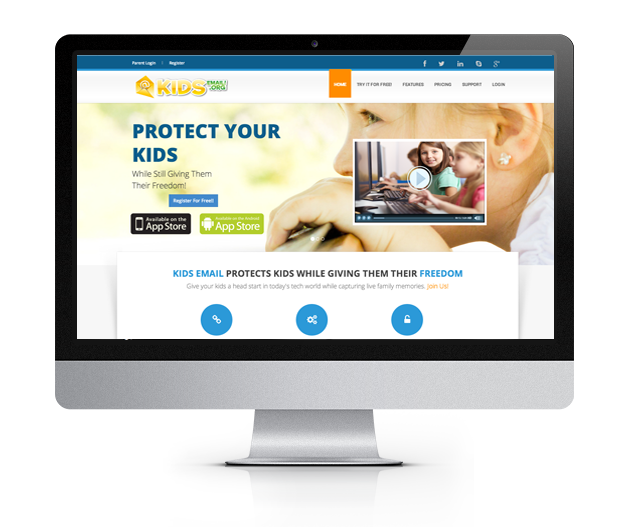
KIDS EMAIL PROTECTS YOUR KIDS WHILE GIVING THEM THEIR FREEDOM

Kids Email, Powerful and Safe Email for Kids
MAIL MONITORING
Parents are able to receive a copy of all incoming and/or outgoing email that is sent to/from your child. This is a simple setting that can be enabled/disabled if desired.
TIME RESTRICTIONS
You can choose to restrict times of the day and days of the week that your child can login. You can even ground them for a certain period of time and display a custom message from you when they attempt to log in!
THE MAIL QUEUE
The Mail Queue allows the parent to intercept an email that failed the safety rules that you set for your child (such as someone not in their contact list attempting to send them an email). The parent can then approve the email to be sent to their child or deny and remove the email from the mail queue.
BLOCK SENDERS
If you allow your child to receive email from anyone, you can still block specific people by adding them to a custom blacklist.
CONTACT MANAGER
You can add family and friends to your child's contact list. You can also deny the sending and/or receiving of emails to/from anyone not belonging to that child's contact list.
NO ADS
We don't offer any advertising on our site! So your child will never see anything inappropriate.
SPAM FILTERING
We work hard to keep spam out of your kids email inbox! Parents can rest assured that their child won't get inappropriate spam in their inbox.
CUSTOM MAILBOX FOLDERS
Your child can create their own custom mail folder to organize received email.
All Accounts Also Get These Powerful Features
KidsEmail.org is a safe email service for kids and families. Your kids can now have a safe email account while allowing parents to be aware of any correspondence their children send and receive. You supervise your children when they go outside to play. Do you know who is contacting your child inside of your home?
-
Remove Links and Images
This is a simple setting that can be enabled/disabled if desired.
-
Control Attachments Types
Only allow specific attachment types such as: images, pictures, video, mp3s, zip, pdf, Word, Excel, Power Point, etc.
-
Offensive Word Filter
Filter out all offensive words found in incoming emails.
-
Spam Filtering
We work hard to keep spam out of your kids email inbox! Parents can rest assured that their child won't get inappropriate spam in their inbox.
-
Template Options
Kids can modify the look and feel of their account by choosing from several fun templates.
-
Activity Log
Logs when your child logs in and when they attempted to login during a restricted time.
Read It Feature
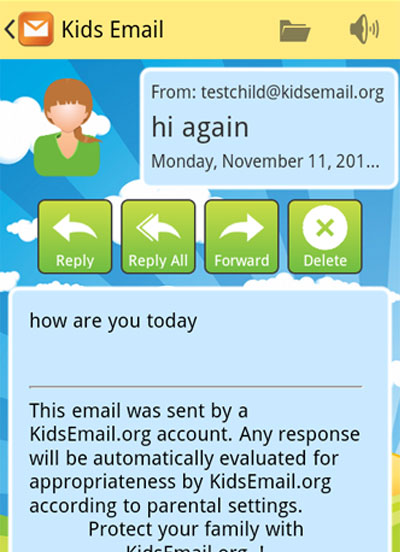
KidsEmail has a read it feature available that helps children develop their reading skills. Children can easily select "read it" on an incoming message which will then read the email out loud to the child. Kids can have fun and improve their confidence while learning to read their email on their own.
Drawing Board
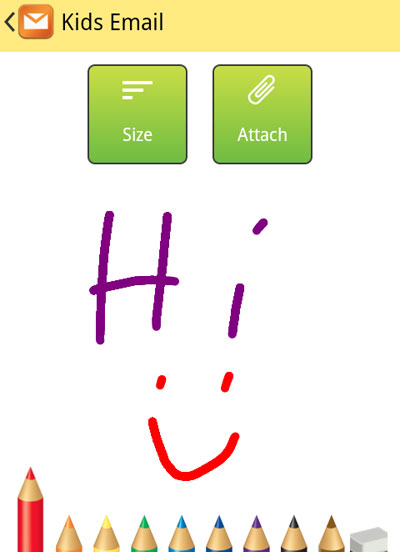
KidsEmail offers a fun drawing board for kids. The drawing board allows kids to express themselves by drawing and sending pictures via email to friends and family. Kids love being able to share their creativity with their loved ones!
Advanced Mode for Older Children
KidsEmail can grow with your child, they can start with an e-mail address @kidsemail.org and as they grow parents can change the settings for the child's email address to switch to @kmail.org with a separate login page for teens and older settings. This is a simple setting and easy to change! Kids love being able to keep their account and not be associated as a "kid" and parents love that their kids can keep their safe email account as their child grows older.

Get Started TODAY! You Can Try KidsEmail For Free!
About Us
KidsEmail.org was established in 2009 in Rockville, Utah. The concept and idea was written and designed to be a part of the solution to protect children and families online. KidsEmail.org was designed to provide safe email for kids.
Find Us
Email: support@kidsemail.org
Testimonies

- Happy Mothering Blog
- Delightful Home Blog
- Kadie
- Cluttered Genius Blog
© Copyright 2009-2026 KidsEmail.org